Ultimate Budget Planner
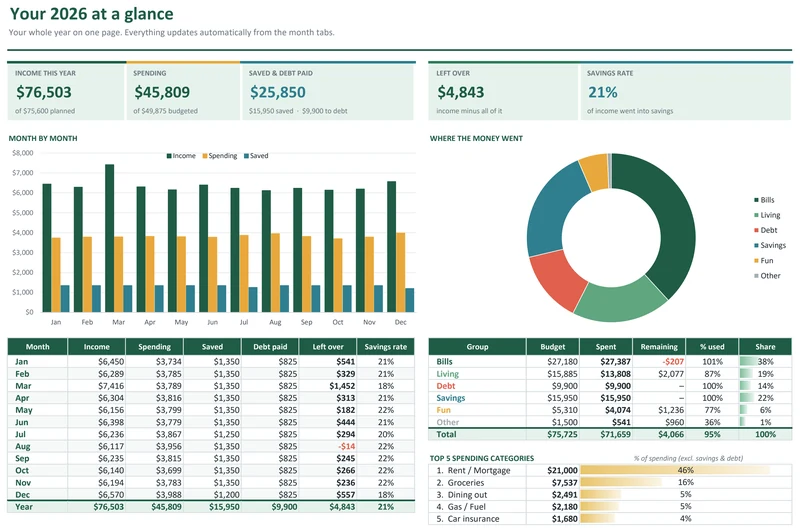
Plan every dollar, log spending in seconds, and see your whole year on one dashboard.
Ready-to-use templates for budgeting, paying off debt and saving, with every formula already built. Type in your numbers and watch your plan come together.
Check out securely through Gumroad and download your template straight away.
Type your numbers into the cream-colored cells. All the formulas are already built.
Totals, charts and progress bars update the moment you type. No setup, no macros.
Each template comes with a blank copy and a filled-in example, plus a Start Here tab that walks you through setup.
Plan every dollar, log spending in seconds, and see your whole year on one dashboard.
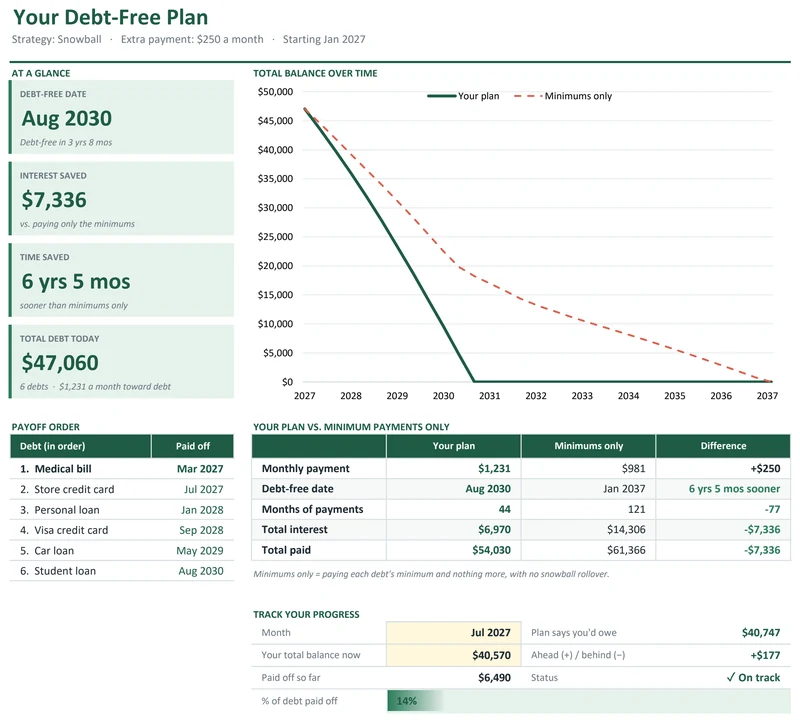
Enter your debts once and get your exact debt-free date, payoff order and interest saved.
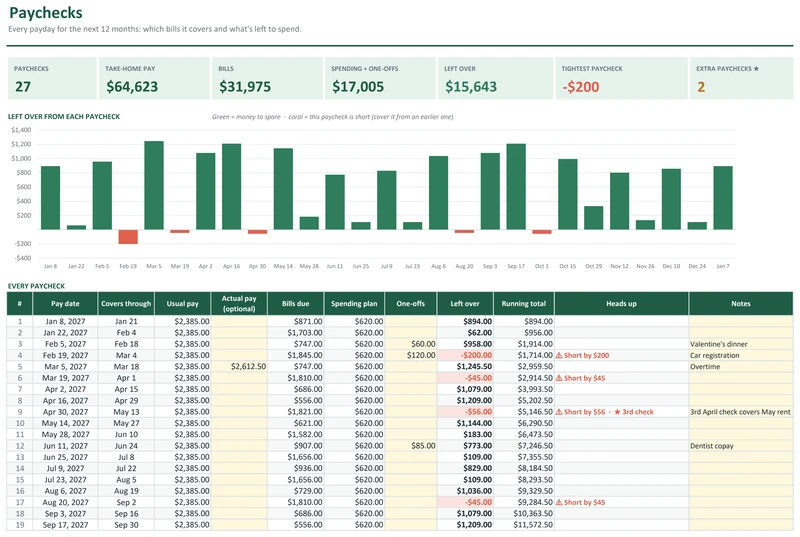
Know exactly which bills each paycheck covers, and what's left to spend, all year.
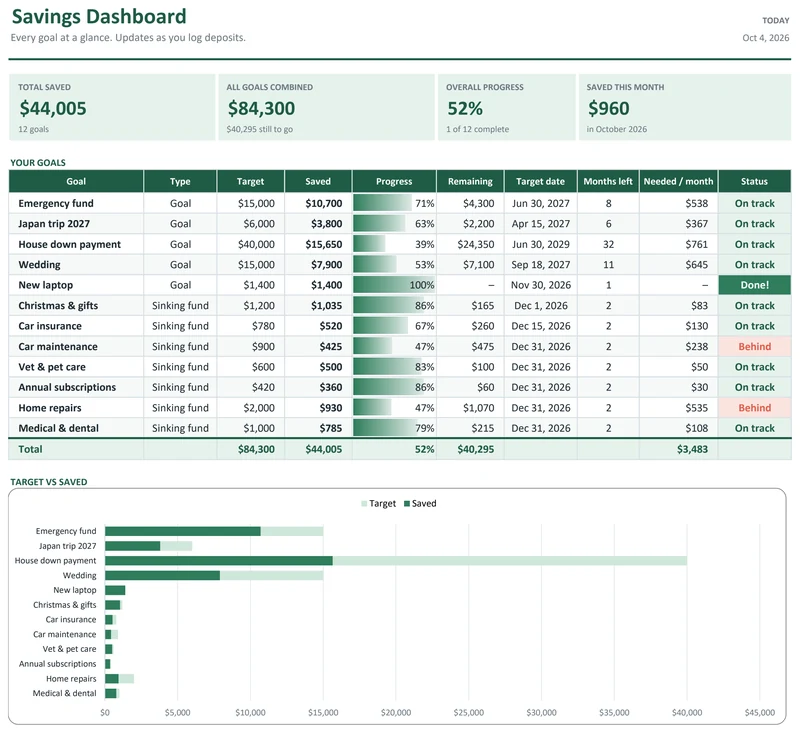
Track up to 12 goals with progress bars, monthly targets and a 52-week savings challenge.
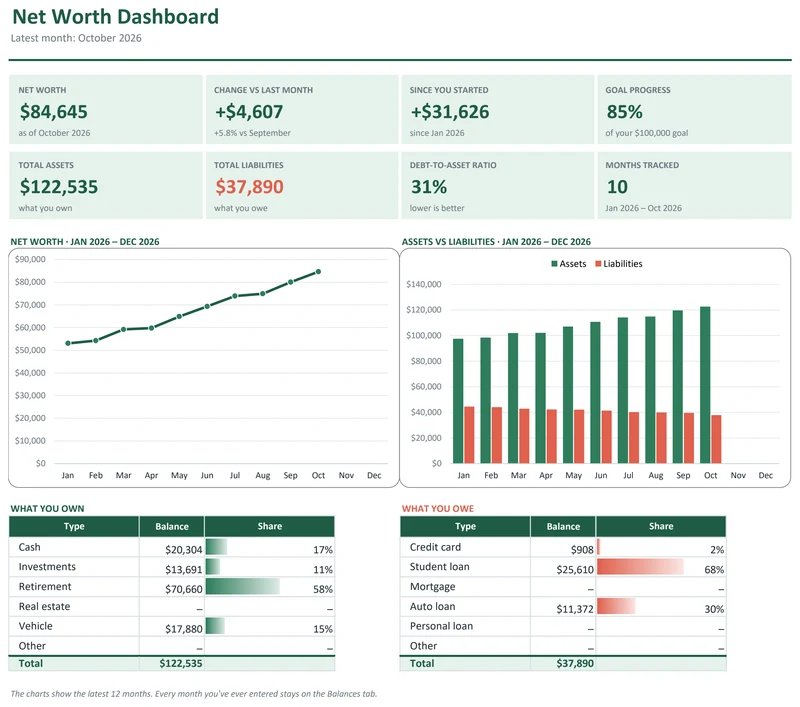
Watch your net worth grow month by month across every account, with automatic charts.
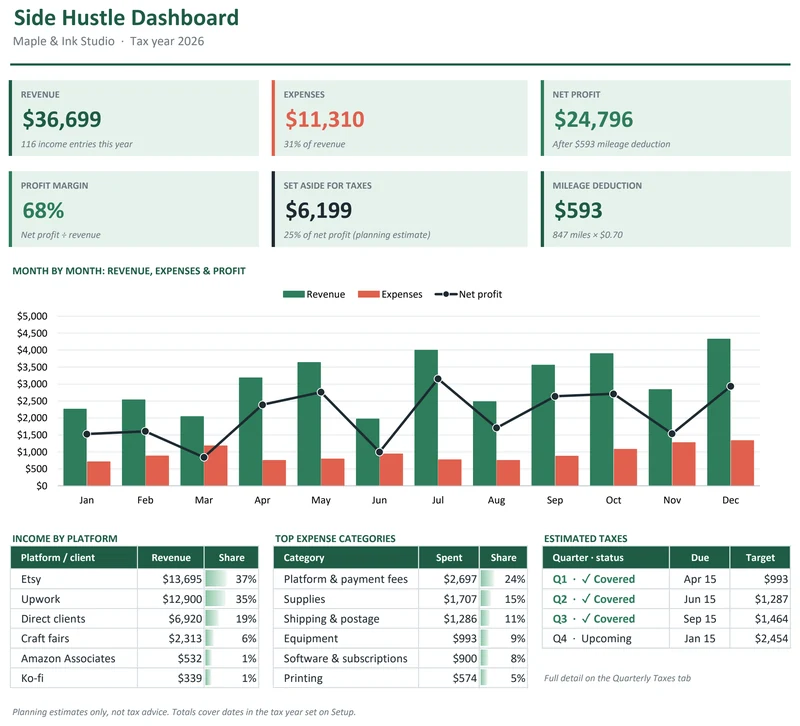
Track income, expenses and mileage, and see your profit and tax set-aside every month.
Every Sprout Sheets template in one download. Save $27 vs. buying them separately ($56).
$29$56
No sign-up and no email. Everything is calculated in your browser, and nothing you type is sent anywhere.
Compare snowball vs. avalanche and find your debt-free date.
Open calculator →Split your take-home pay into needs, wants and savings.
Open calculator →How much to save each month, or how long your goal will take.
Open calculator →Add up what you own and owe to see where you stand.
Open calculator →Both methods work. Here's how they compare on interest, speed and motivation, using a real four-debt example.
Read · 5 min →Split your take-home pay into needs, wants and savings. What goes where, a worked example, and when to change the ratio.
Read · 4 min →Assign every bill to the right paycheck, smooth out the heavy weeks, and make the most of three-paycheck months.
Read · 4 min →A one-page budget spreadsheet that splits your income into needs, wants and savings automatically. Free for Excel and Google Sheets.
No. Every template works in Microsoft Excel (2016 or newer, Microsoft 365, Excel for Mac) and in free Google Sheets. To use Google Sheets, upload the file to Google Drive and open it with Google Sheets.
Checkout is handled securely by Gumroad. Right after you pay, you'll see a download link, and Gumroad emails you a copy so you can download it again any time.
No. Every template is a one-time purchase and the file is yours to keep.
You can view and edit them in the Excel or Google Sheets mobile apps, but setting up is easiest on a computer.
No. They're organizing tools that do the math for you. For advice about your situation, talk to a qualified professional.
Reply to your Gumroad receipt email and we'll help you sort it out.