Everything you need, nothing you don't
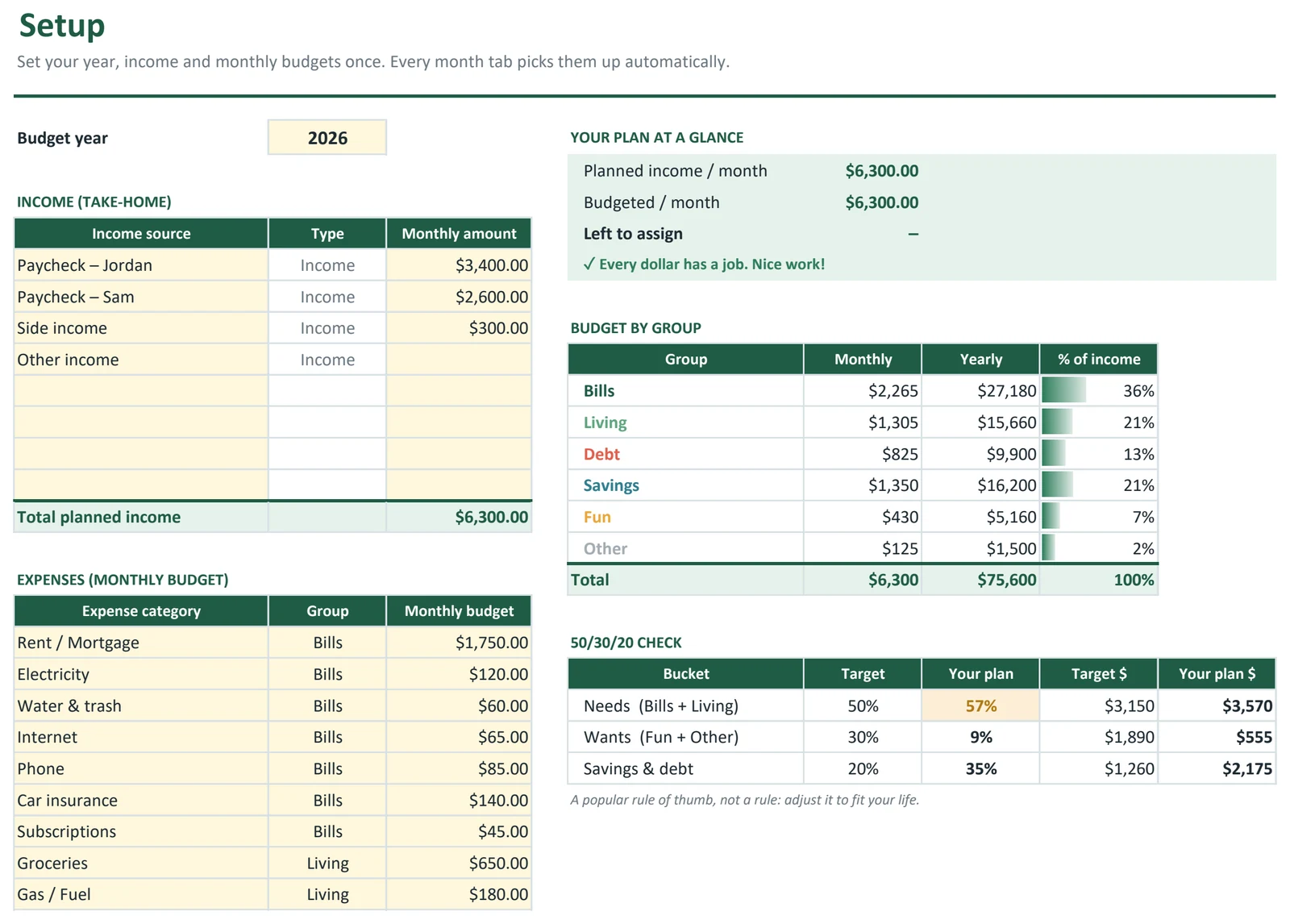
Plan every dollar
Set a monthly budget for each category once on the Setup tab. Every month uses it automatically, and you can adjust any single month.
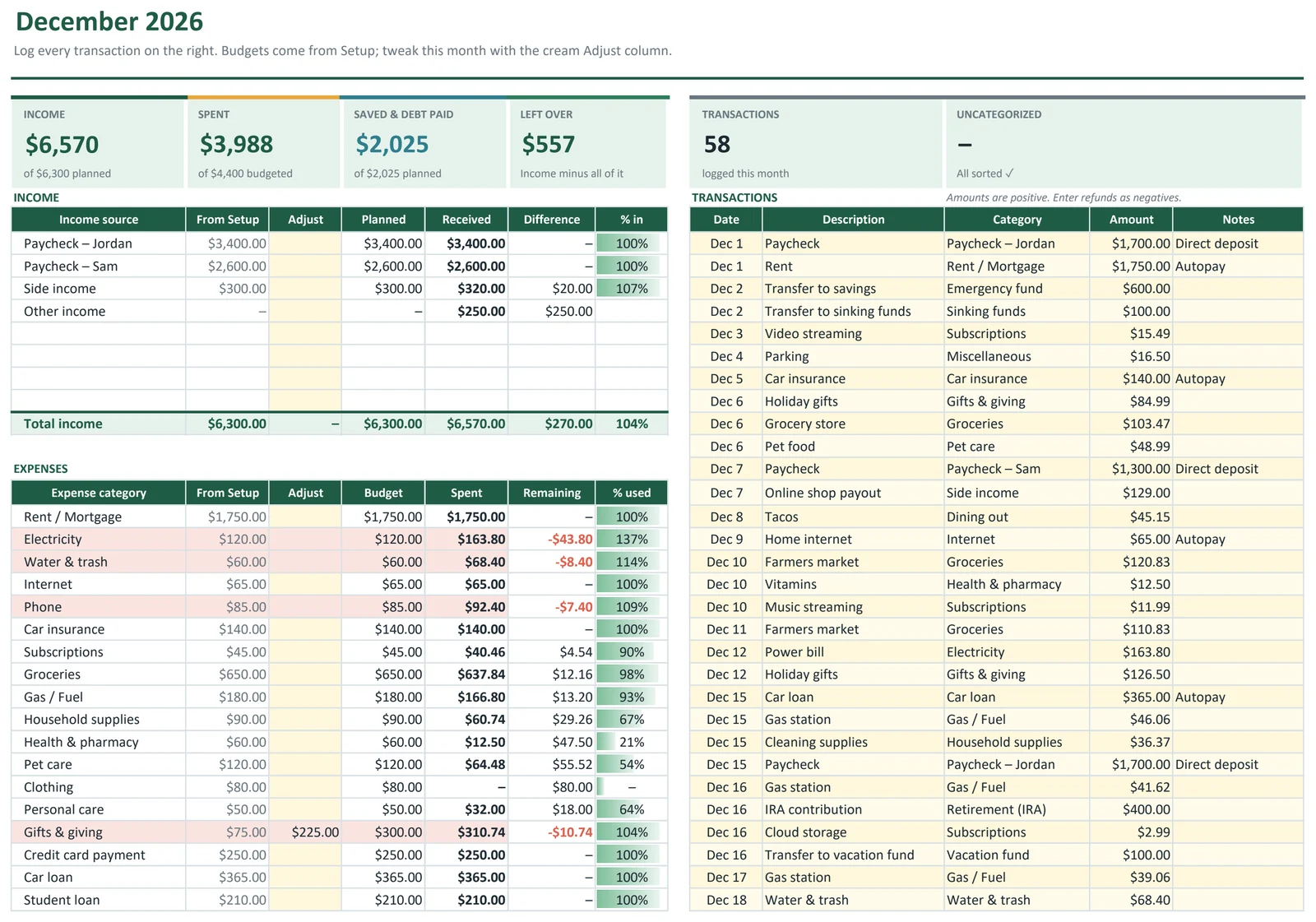
Log spending in seconds
Type the date, pick a category from the dropdown and enter the amount. Totals, remaining balances and progress bars update instantly.
Spot overspending early
Categories that go over budget turn coral, so you see problems while there's still time to fix them.
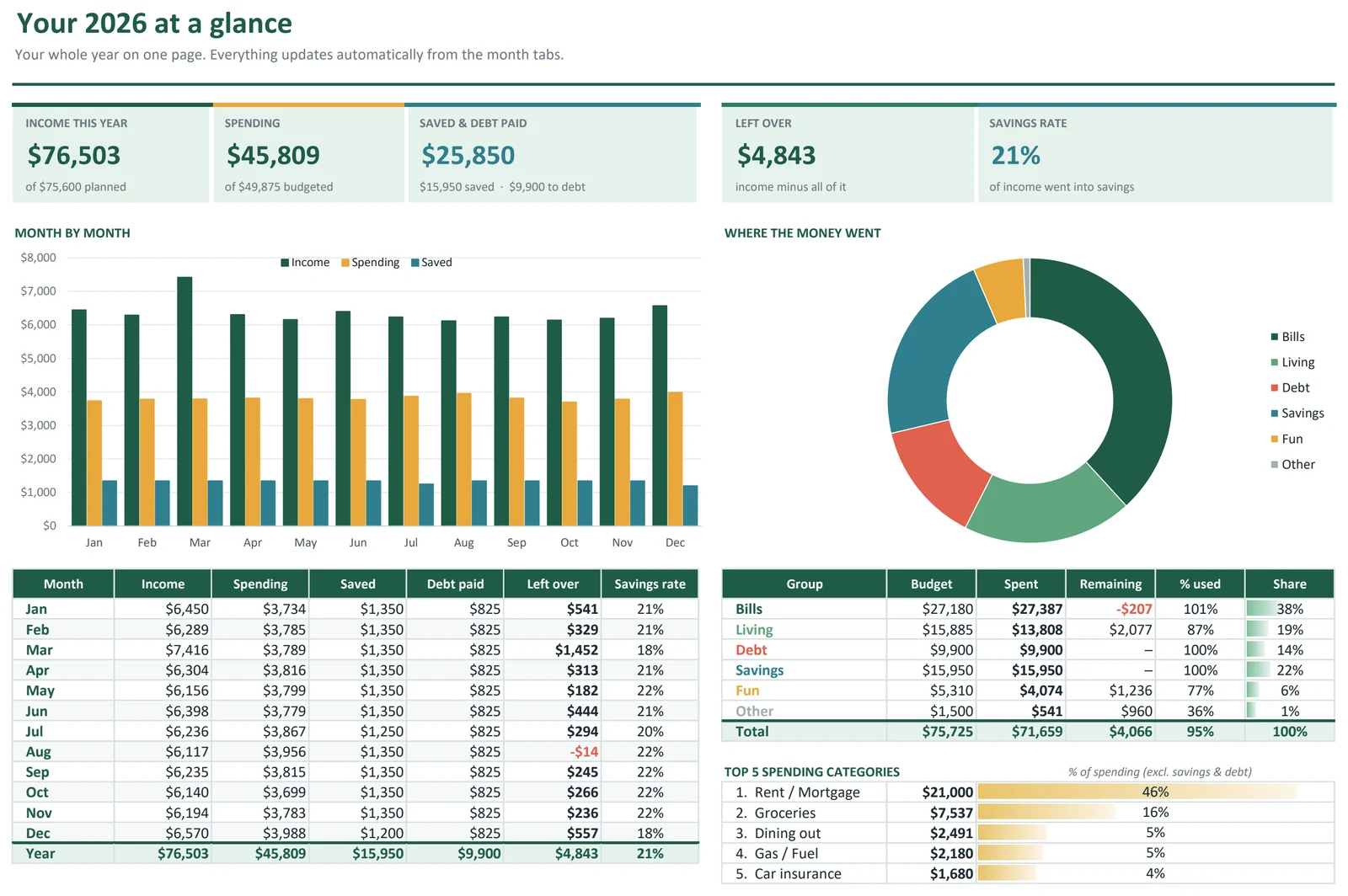
Your year at a glance
The dashboard shows income vs. spending for all 12 months, your savings rate, and where your money really goes.
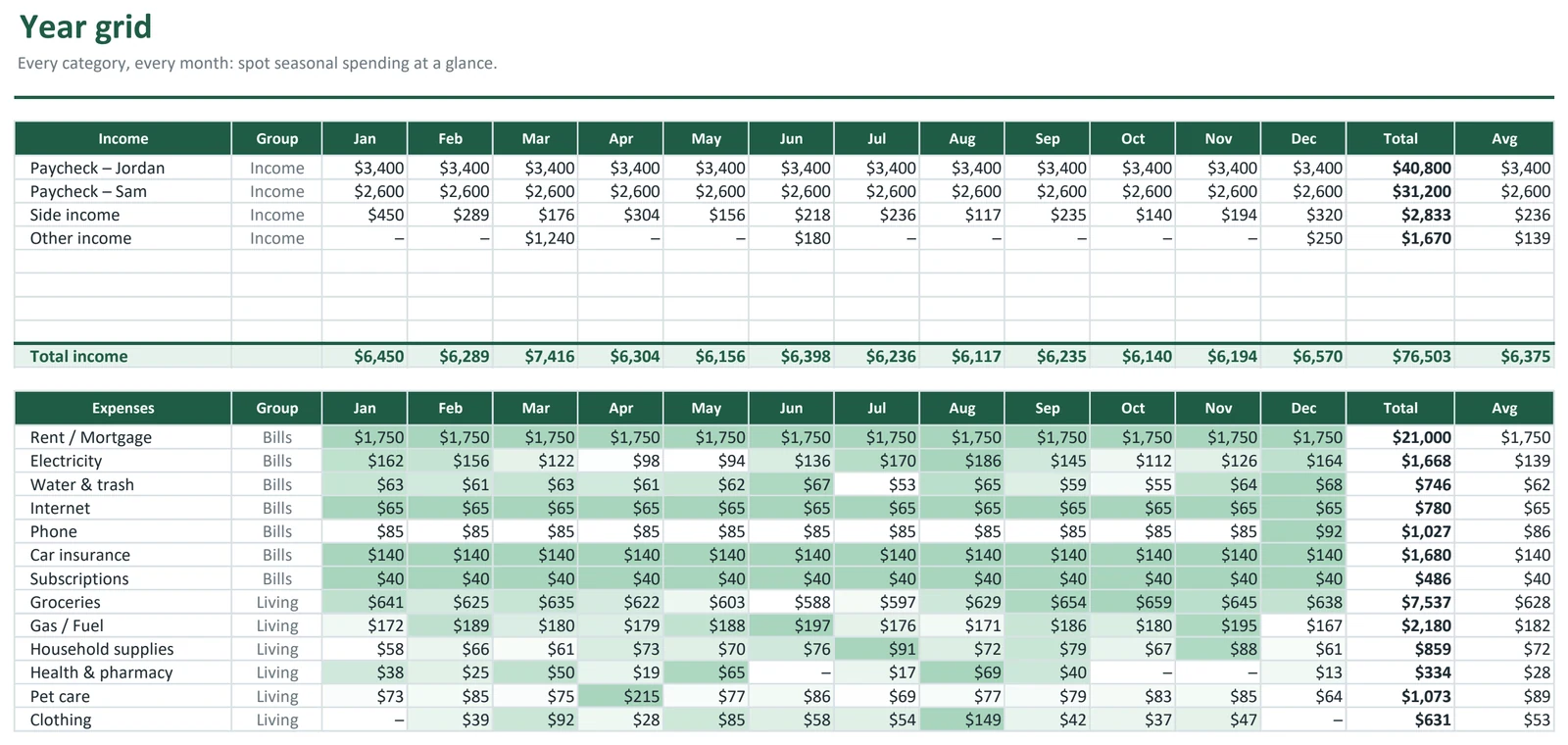
Grouped the way you think
Bills, living costs, debt, savings and fun are grouped so you see the big picture, not just a wall of line items.
Excel or Google Sheets
Built with standard formulas only. Use it in Excel, or upload it to Google Drive and keep going in Google Sheets.
In your download
- Start Here tabA short, friendly guide to setting up in a few minutes.
- Setup tabYour year, income sources, categories, groups and default budgets.
- 12 monthly tabsBudget vs. actual, transaction log and a summary for each month.
- Annual dashboardMonth-by-month totals, savings rate and charts.
- Example copyFilled with realistic sample data so you can see how everything works.
- Blank copyReady for your own numbers.
Complete Money Toolkit (All 6 Templates)
Every Sprout Sheets template in one download. Save $27 vs. buying them separately ($56).
$29$56
- Ultimate Budget Planner$12
- Debt Snowball & Avalanche Planner$9
- Paycheck Budget Planner$9
- Savings Goals & Sinking Funds Tracker$7
- Net Worth Tracker$7
- Side Hustle Income & Expense Tracker$12
Questions & answers
Do I need Microsoft Excel?
No. The template works in Excel 2016 or newer, Microsoft 365 and Excel for Mac, and in free Google Sheets. Just upload the file to Google Drive and open it with Google Sheets.
Can I rename or change the categories?
Yes. Edit category names, groups and budgets on the Setup tab and they update across every month.
Can I use it for more than one year?
Yes. You set the year on the Setup tab, so you can start a fresh copy each year. Your purchase stays in your Gumroad library for re-downloading.
Is this a subscription?
No. It's a one-time purchase and the file is yours to keep.
How do I get the file?
Right after checkout you'll get a download link on screen and by email from Gumroad.