Everything you need, nothing you don't
Pick your strategy
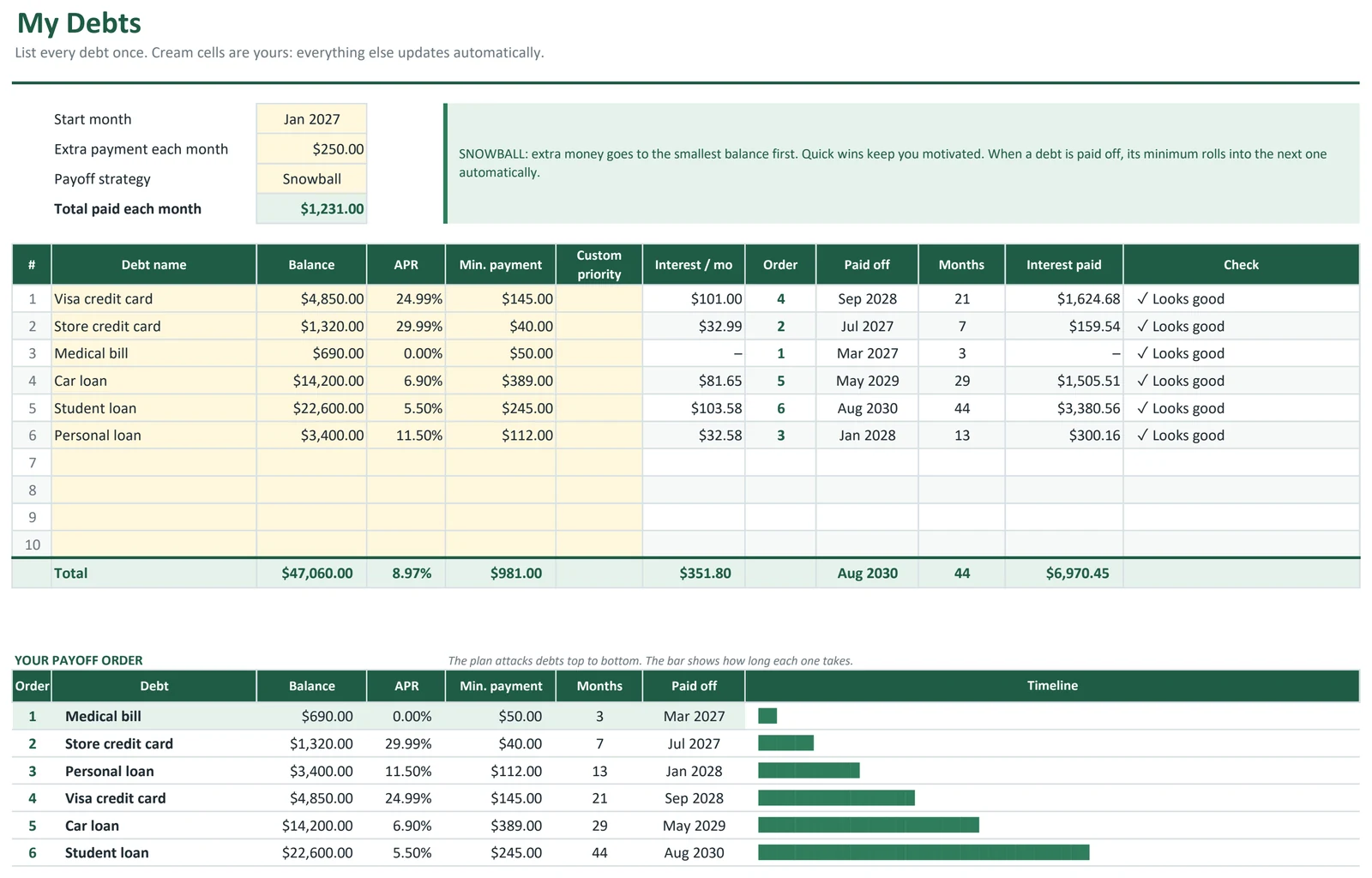
Switch between snowball, avalanche or a custom order from a dropdown and compare the results instantly.
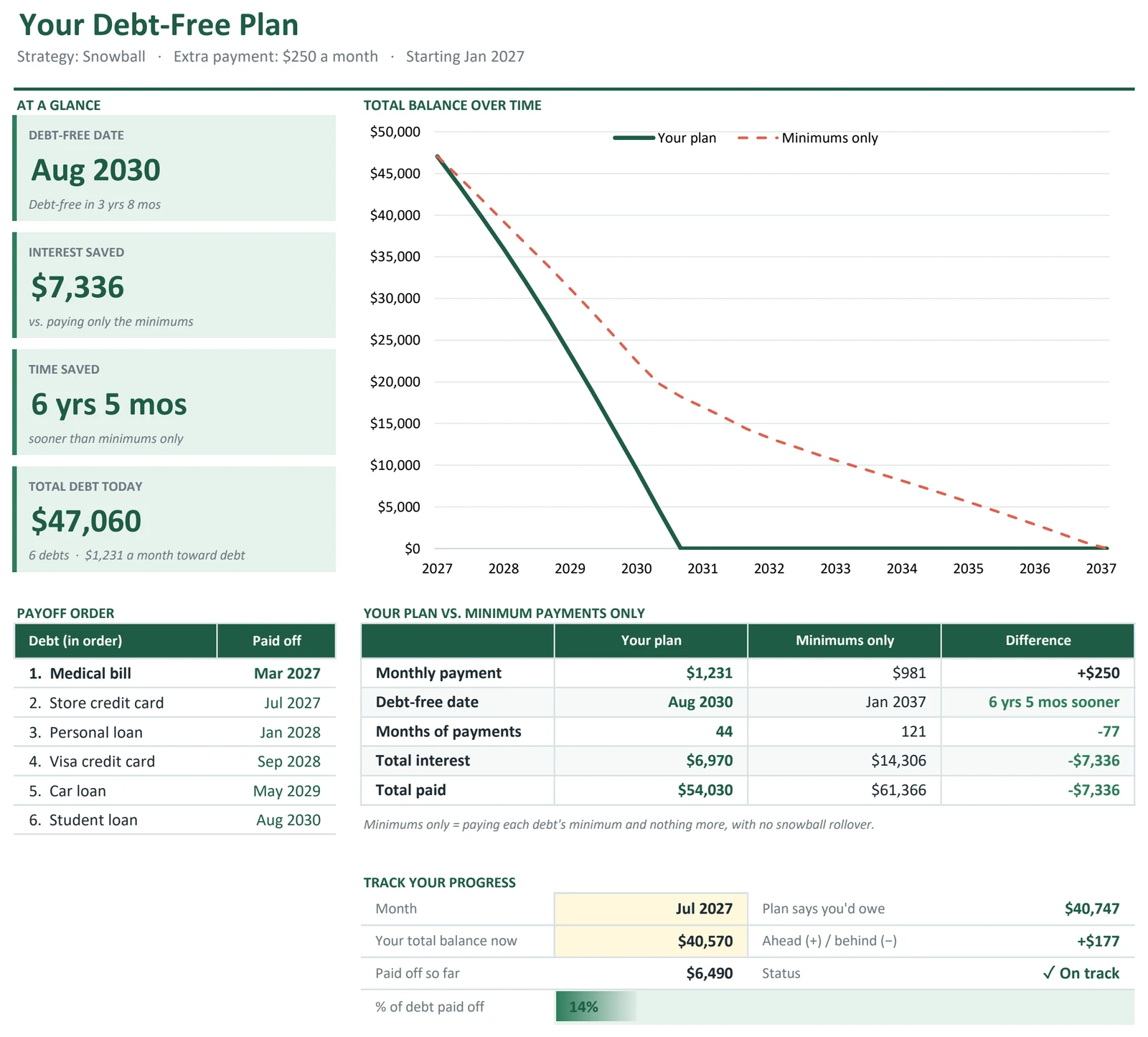
See your debt-free date
Get the exact month you'll be debt-free, plus when each individual debt will be paid off.
Know what you'll save
See total interest and time saved compared with paying only the minimums.
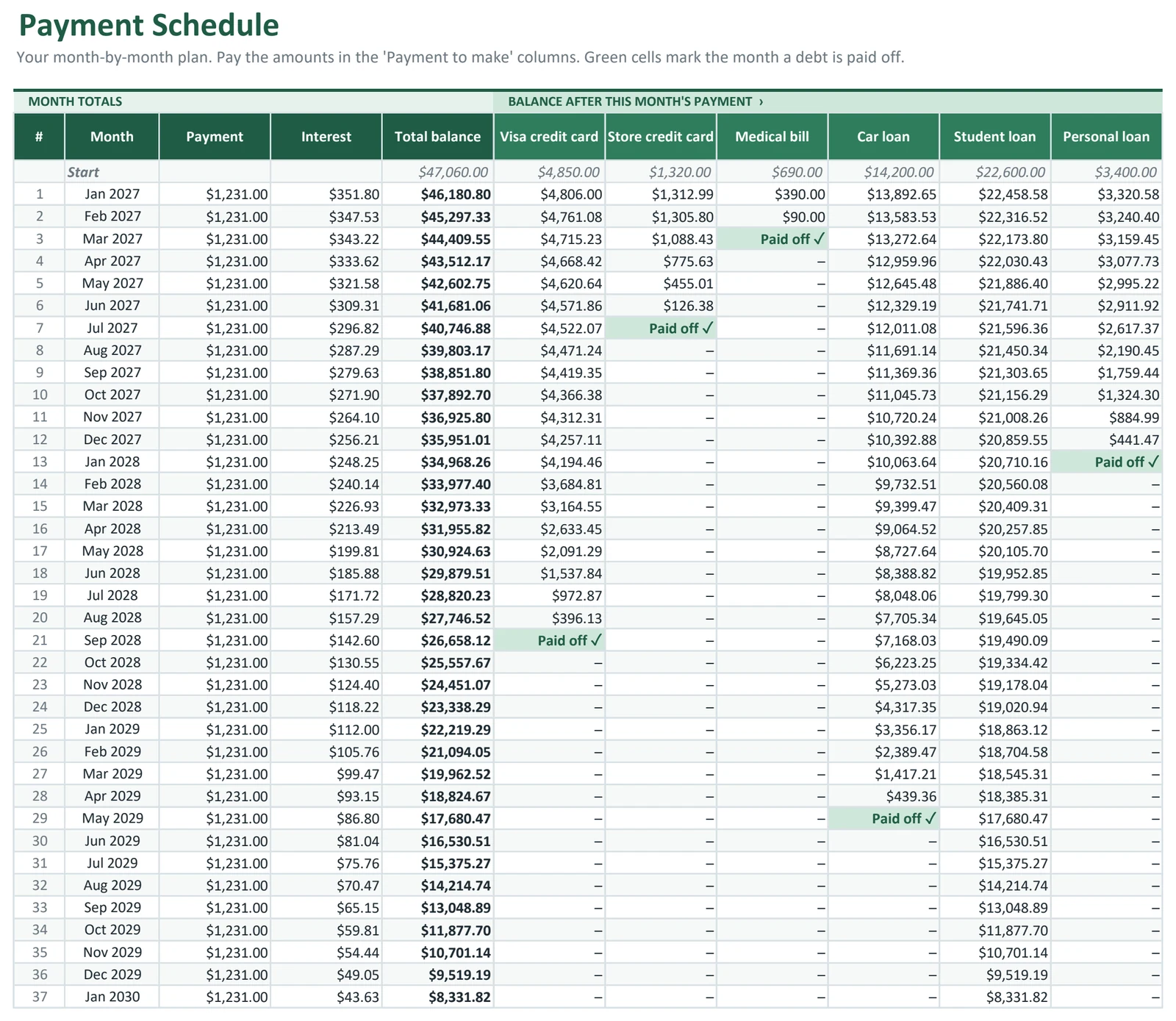
Rollover built in
When a debt is paid off, its payment automatically rolls into the next one, just like the real snowball method.
Watch the balance fall
A chart shows your total balance over time, your plan vs. minimum payments.
Excel or Google Sheets
Standard formulas only, so it works in Excel and Google Sheets.
In your download
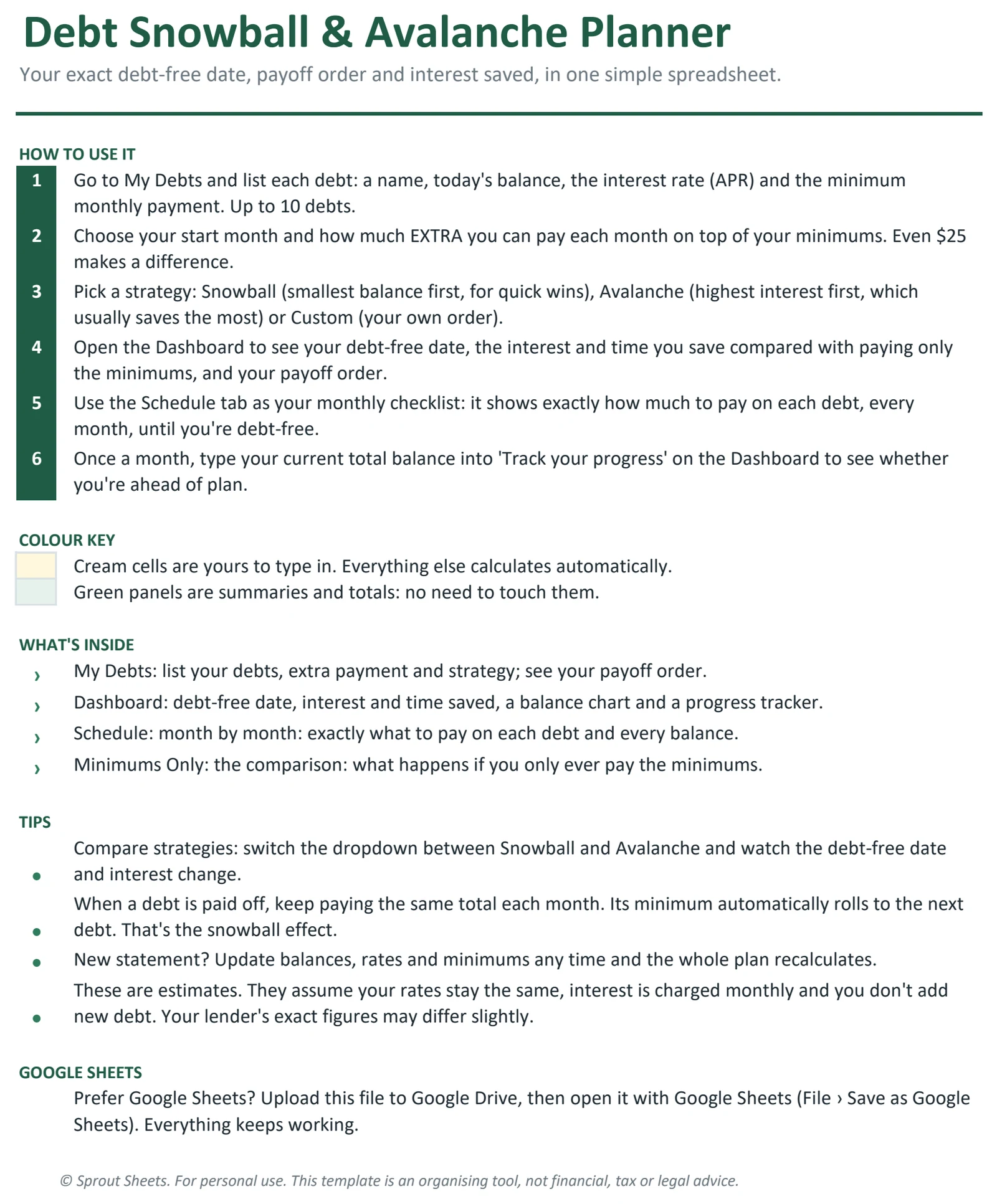
- Start Here tabHow to enter your debts and read your plan.
- My Debts tabBalances, rates, minimums, extra payment and strategy.
- DashboardDebt-free date, interest saved, payoff order and chart.
- Payoff scheduleEvery month's payments and balances for every debt.
- Example copyFilled with sample debts so you can see it in action.
- Blank copyReady for your own debts.
Complete Money Toolkit (All 6 Templates)
Every Sprout Sheets template in one download. Save $27 vs. buying them separately ($56).
$29$56
- Ultimate Budget Planner$12
- Debt Snowball & Avalanche Planner$9
- Paycheck Budget Planner$9
- Savings Goals & Sinking Funds Tracker$7
- Net Worth Tracker$7
- Side Hustle Income & Expense Tracker$12
Questions & answers
What's the difference between snowball and avalanche?
Snowball pays off the smallest balance first for quick wins. Avalanche pays off the highest interest rate first to pay the least interest overall. The planner lets you compare both with your own numbers.
What if a minimum payment doesn't cover the interest?
The planner flags it, so you know that debt needs more than its minimum to ever shrink.
Can I change my extra payment later?
Yes. Change the extra monthly amount any time and the whole plan recalculates.
How many debts can I enter?
Up to 10: credit cards, car loans, student loans, medical bills, personal loans and more.
Does it work in Google Sheets?
Yes. Upload the file to Google Drive and open it with Google Sheets.